KNOWLEDGE CENTRE
How to Attach Documents in FIORI Launchpad Reporting
This article walks through how to attach documents (i.e., PDF, Excel, Word) to transactions in the FIORI Launchpad Reporting application.
Steps:
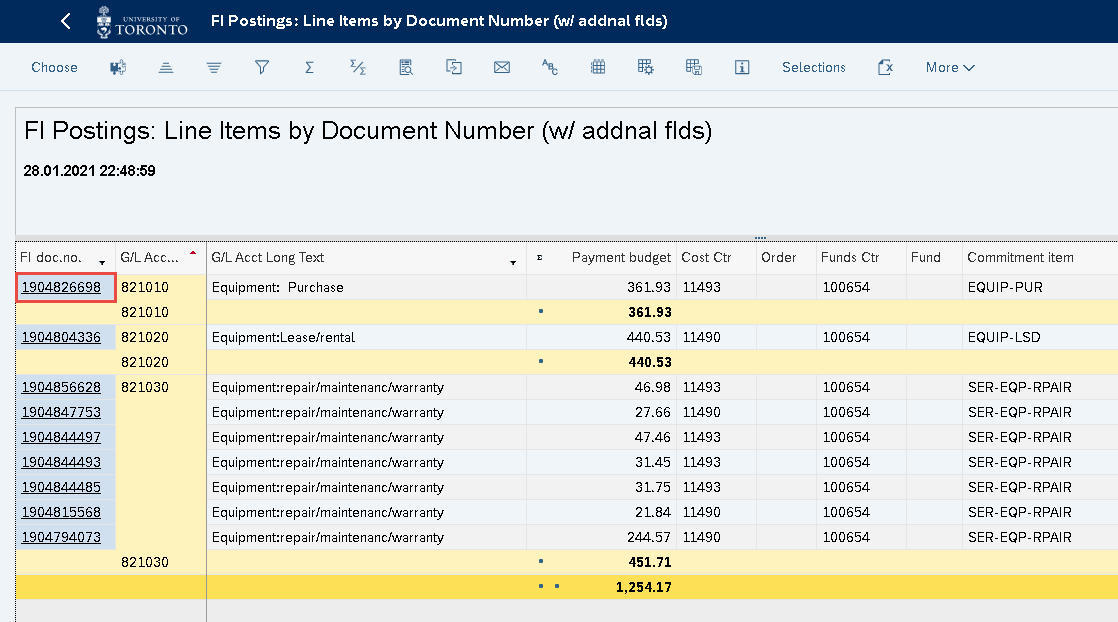
- Drill down on a report to access the original transaction.
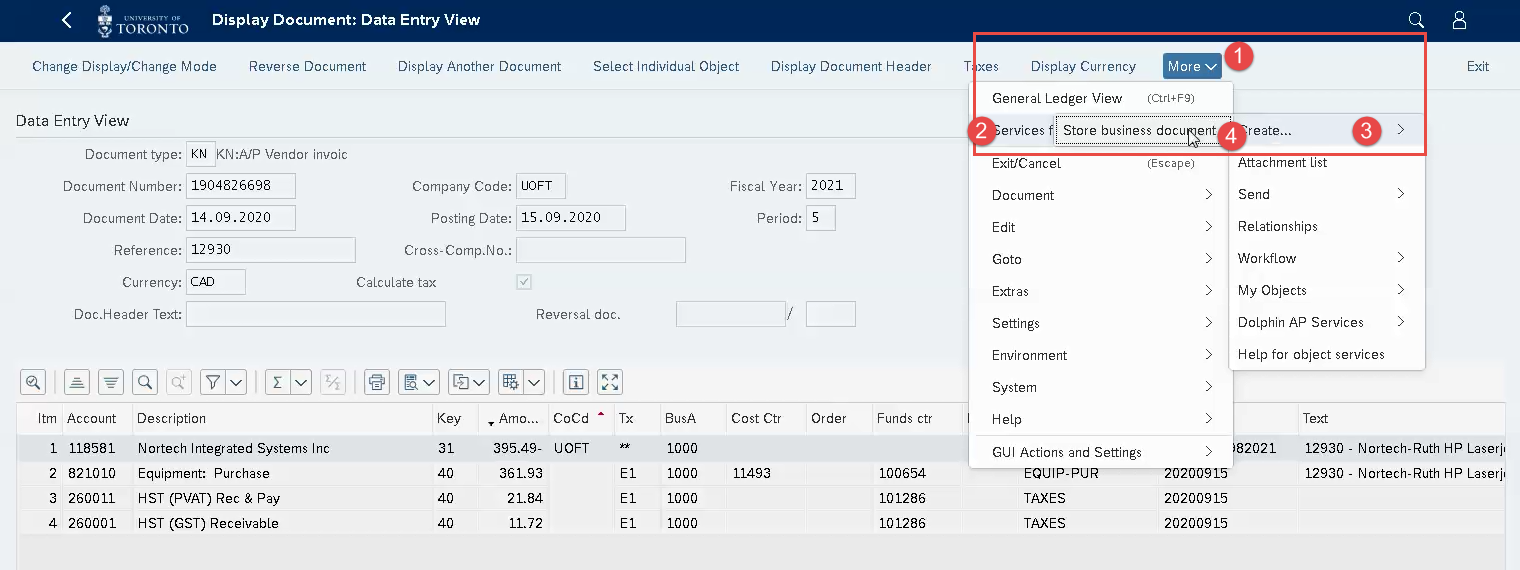
2. Click More >> Services for Objects >> Create >> Store Business Documents
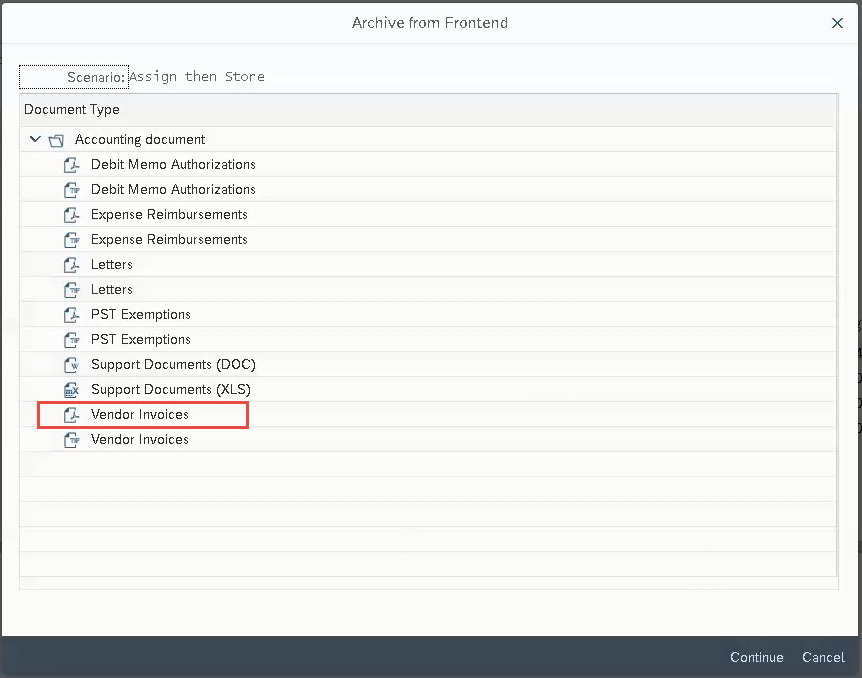
3. Select the applicable Document Type and format from the list.
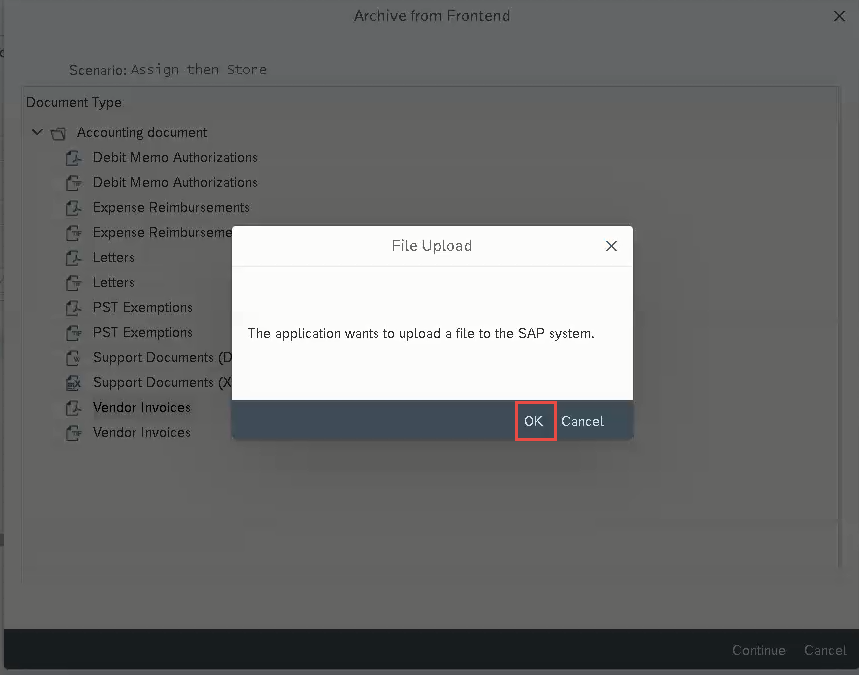
4. A File Upload pop-up will appear. Click OK
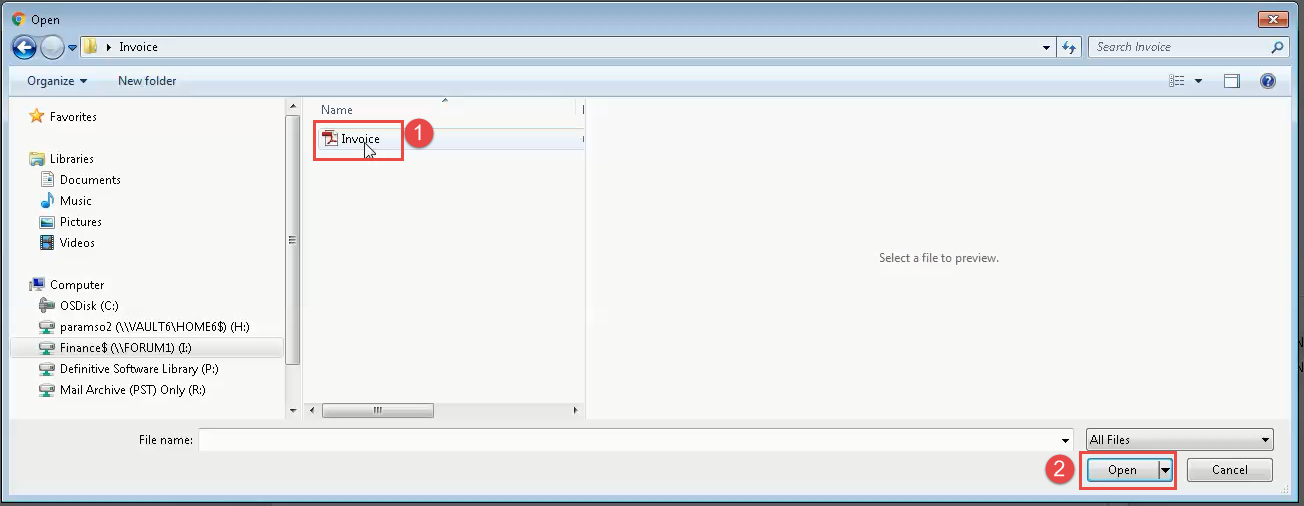
5. Locate and select/Open the desired file.
6. Click Continue to Save.
If you have any questions or concerns, please contact your FAST Team representative or
Last Updated: January 28, 2021